
Restaurant Purchasing Analysis: Ask Your AI Agent the Question Your Dashboard Never Asked
Restaurant Purchasing Analysis: Ask Your AI Agent the Question Your Dashboard Never Asked
In short
- In restaurant purchasing analysis the data is usually there. What's missing is the right question in the dashboard: real questions cut across two or three things at once (a product by location, a supplier by period), and no filter set up in advance covers them all.
- An AI agent such as Claude, ChatGPT or Cursor, connected to mayo through MCP (Model Context Protocol, an open standard), lets you ask that question in plain English and answers from your own purchasing data.
- It works because in mayo your orders, prices, supplier price lists, consumption and stock already sit in one place, so they can be queried together.
- The agent is read-only: it doesn't place orders, change prices or message suppliers. The account owner picks the data areas, sees the latest access and can revoke it at any time.
- Treat the answers the way you'd treat a colleague's: ask where a number comes from and spot-check a few.
In purchasing analysis, the bottleneck is the question, not the data
In restaurant purchasing analysis the data often exists already. What doesn't exist is somewhere to ask the question nobody thought of when the dashboard was designed.
Look closely at any dashboard and it turns out to be a list of questions chosen by someone else: spend this month, spend by supplier, spend by category. Each gets its own chart and its own filter. That works fine as long as your question happens to be one of theirs.
Real questions turn up on a Tuesday night while you're closing the kitchen, and they nearly always have two or three dimensions. "Which product takes the biggest share of spend, and at which site?" "Who's put their prices up since September, and on what?" "Has fish gone up because we're paying more for it, or because we're buying more of it?" Answering those with a dashboard means opening three views, exporting, and cross-referencing by hand. More often than not the question just sits there, and by Wednesday you've got other things on your mind.
None of this takes anything away from fixed checks. A regular rhythm, such as three purchasing numbers read every Monday, is still the best way to notice in time that something is drifting. But when those three numbers tell you something is off, the next question is almost always one the report doesn't have. That's where you need a different way of asking.
What connecting an AI agent to your purchasing actually means
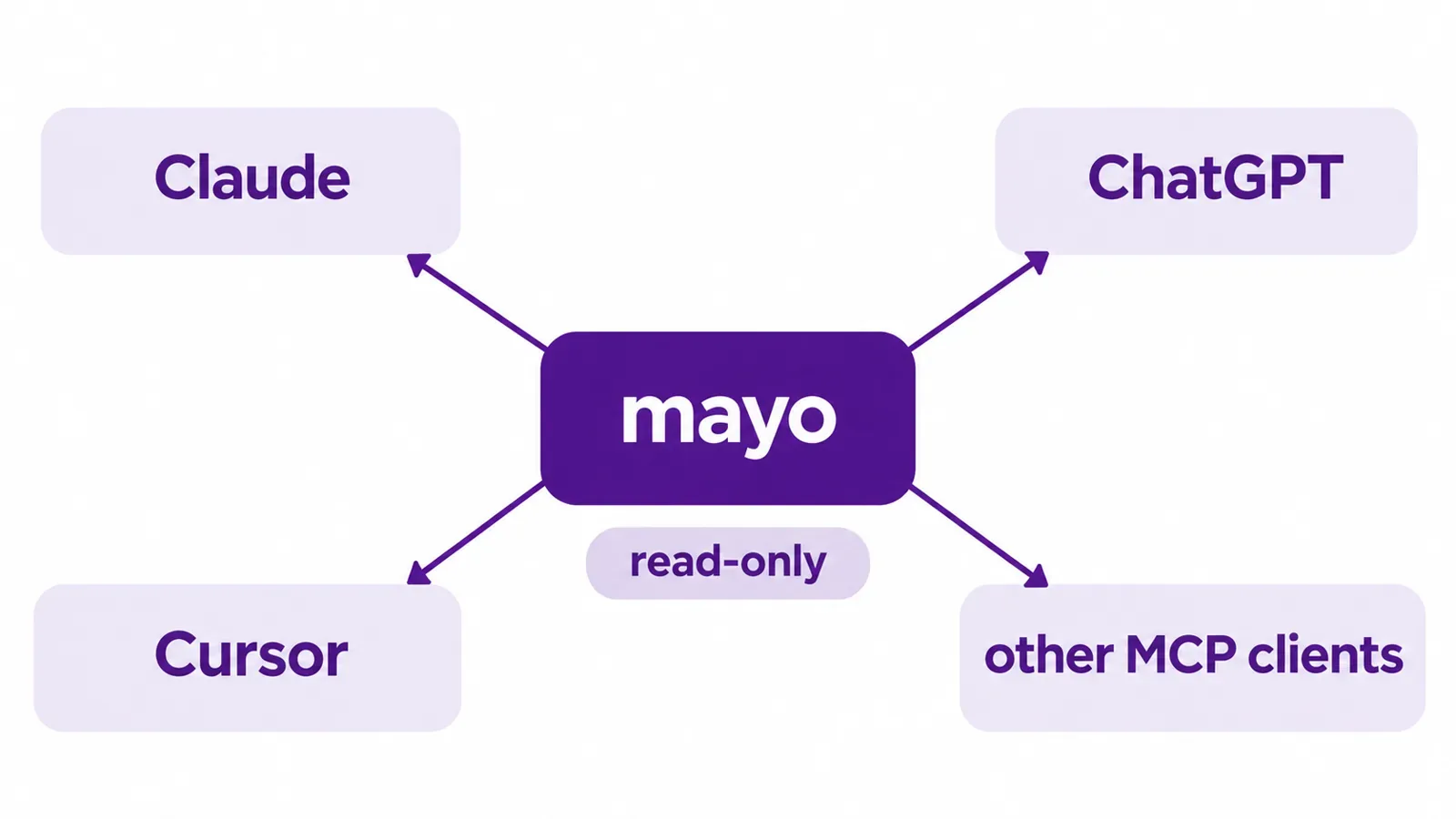
Connecting an AI agent to your purchasing means giving Claude, ChatGPT, Cursor or another MCP-compatible client permission to read the data you keep in mayo. From then on, when you ask it about your purchasing, the agent starts from your numbers rather than from what it knows about restaurants in general.
MCP stands for Model Context Protocol, an open standard that AI agents use to connect to outside services. For you, one thing matters: you aren't tied to any particular agent. If you already use ChatGPT to draft emails to customers or Claude to tidy up the menu, you can use the same one. What's available depends on the plan you have with the agent's provider, because not every Claude or ChatGPT plan lets you add external connectors.
For an agent to answer cross-cutting questions, though, the data has to be together already. If orders are spread across WhatsApp threads, phone calls and a notebook, and the delivery notes sit in a folder waiting for someone to reconcile them against invoices, no agent can read any of it, because it doesn't exist in one place. In mayo, orders, prices paid, supplier price lists, consumption and stock live in the same record. It's the same reason a unified cart saves time mostly when you have to work out what you actually ordered: one source to search instead of five. The agent relies on exactly that.
What you can ask an AI agent about your purchasing
An AI agent connected to mayo takes the questions you already ask yourself, phrased the way they occur to you. A few examples:
- How much did I spend on fish this month, compared with last month?
- Which product costs the most at each of my sites?
- Which suppliers have raised their prices since September?
- What is the stock at the city-centre restaurant worth today?
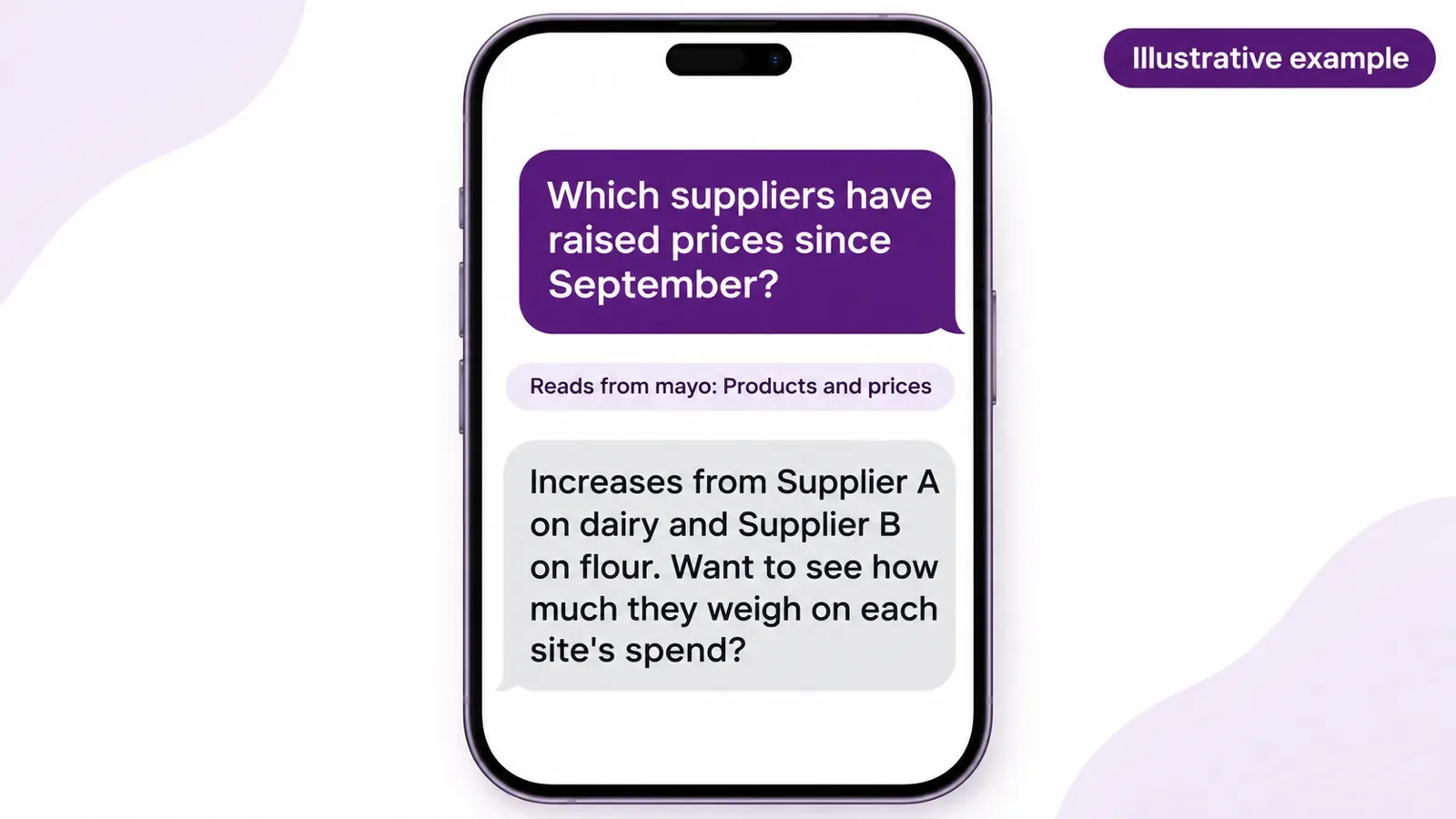
The difference from a filter shows up on the second question, not the first. Here's how an exchange might go. It's an illustrative example, with made-up suppliers and sites:
Illustrative example, fictitious data.
You: Which suppliers have raised their prices since September?
Agent: According to the price lists, the increases come mainly from Supplier A, on dairy, and Supplier B, on flour. The others haven't moved. Do you want to see what share of each site's spend those products account for?
You: Yes, and tell me where the mozzarella takes the biggest share.
Agent: Supplier A's mozzarella takes the biggest share at the City Centre site, which also orders the largest quantities. At the Harbour site spend is lower, because part of it comes from a different supplier.
On a dashboard, that second question would have meant switching views, setting the period again and comparing two tables. Here you type it as you'd say it to a colleague. And from that answer you move naturally to the comparison that really counts, what you pay per unit against the latest price list, which is where the savings from purchasing software actually come from.
What the AI agent doesn't do
An AI agent reading your mayo data doesn't place orders, doesn't change prices and doesn't message suppliers. Access is read-only: it reads, it answers, and that's where it stops.
That holds even when you ask. If you type "right, reorder the mozzarella" halfway through the conversation, the agent has no way of doing it through mayo. Orders stay your decision, made in mayo as before.
There's also a technical detail that matters to you more than it might seem. Product and supplier names were typed by people, sometimes by the suppliers themselves in their own price lists. The agent treats them as data, not as instructions, so an oddly worded product description can't change what the agent does.
Who decides what the agent reads: the account owner
Only the account owner can connect an AI agent to mayo. The owner chooses which data to share, sees when the agent last read it and can shut off access at any moment. Team members with a different role in mayo can't connect agents.
When you connect, you choose the data areas one by one:
- Purchases and spend: what you spend, by supplier, category and period.
- Orders: orders sent to suppliers, with lines, statuses and dates.
- Products and prices: your catalogue, supplier price lists and price changes.
- Consumption: quantities used over time, by product and by site.
- Stock: current stock levels and what your stock is worth.
You need at least one, and you can leave out any you'd rather keep to yourself. Two things to know first. Access covers every site on the account; you can't pick location by location. And Consumption and Stock need the Inventory add-on.
Once connected, each agent gets its own card under Settings → Integrations, showing its last access and its 20 most recent calls: for each one, which tool it used, when, and with what outcome. The access log doesn't show your questions or the agent's answers. It tells you when it read and what it read, not what the two of you talked about.
Revoking access happens on the same page and takes effect immediately: from that moment the agent can't read anything. If you want it back later, you connect it again.
How to read an AI agent's answers
An AI agent's answers about your purchasing deserve the treatment you'd give a colleague who knows your numbers: you trust them, but you ask where a figure comes from and you check a few, especially before a decision that costs money.
In practice that comes down to three habits. First, ask the agent which period and which area it read: if you wrote "since September", check it actually used that period and every site you had in mind. Second, spot-check a supplier you know by heart: if what it says about them matches what you see in mayo and on their last invoice, you can trust the rest a little more. Third, if an answer surprises you, ask it to explain again in different words before you pick up the phone to the supplier.
The questions you ask every week are better left to a fixed check, which doesn't depend on how you phrase them. The agent is most useful on the questions that don't fit the template, the ones that used to go unanswered because finding the answer was too much effort.
How to connect an AI agent to mayo
An AI agent connects to mayo on the Pro plan, from Settings → Integrations, in a few minutes and with nothing to install. The account owner does it: pick the agent, paste the mayo address into the agent's connector settings, approve the data areas and come back to mayo. You'll need an account with the agent that allows MCP connectors to be added.
The mayo AI agents page explains how the connection works, which agents it supports and what the owner stays in control of.
Once it's connected, don't start with the example questions. Start with the one you asked yourself last week that no report answered: it's the quickest way to find out whether you really need it.
Keep your spending under control with mayo
Up-to-date price lists, centralized orders and prices verified on every delivery. Try it with your team.
Keep reading

Restaurant Cost Control: Three Numbers Every Monday, Not Thirty KPIs
A dashboard with thirty KPIs ends up unopened. Three purchasing numbers, checked every Monday against the week just closed, show you a drift while it is still small.

There Is No Ideal Food Cost. There Is Only Your Format
The 28-35% food cost band everyone repeats describes full-service restaurants and nobody else. A pizzeria and a bar are measured wrong by it, in opposite directions.

The food cost you calculate at month-end is an autopsy
The food cost formula was never the problem. The problem is when the number shows up — thirty to forty-five days after the price that produced it changed.