
Ordering From Several Suppliers: A Unified Cart Doesn't Save Time Where You Think
Ordering From Several Suppliers: A Unified Cart Doesn't Save Time Where You Think
In short
- Writing orders to five suppliers on five different channels is tedious, but it isn't where the real time goes.
- The real time goes when something doesn't add up: a missing item, a price that changed, a supplier saying "you never asked for that". Then you have to reconstruct, and every channel is one more place to search.
- The phone is the worst channel for reconstruction because it leaves nothing behind. Of an order placed by voice, all that survives is what you remember.
- A unified cart that splits lines by supplier doesn't reduce how many suppliers you have. It reduces the places you look for what you ordered to one.
- Before consolidating, check that the tool keeps a separate history for each supplier and sends each one the format it expects. If it flattens everything into a single list, you have only moved the problem.
Why you send the same order five different ways
A restaurant sends the same weekly order in five formats because every supplier set its own channel and you adapted to all of them. The produce supplier wants a WhatsApp message by 8pm. The fishmonger likes a phone call before 7am. The broadline distributor has a portal, or an inbox that "someone checks". The butcher's order goes in the notebook by the pass and gets read out to the rep when he drops in. Each has its own order window, its own delivery days, and its own names for the same products.
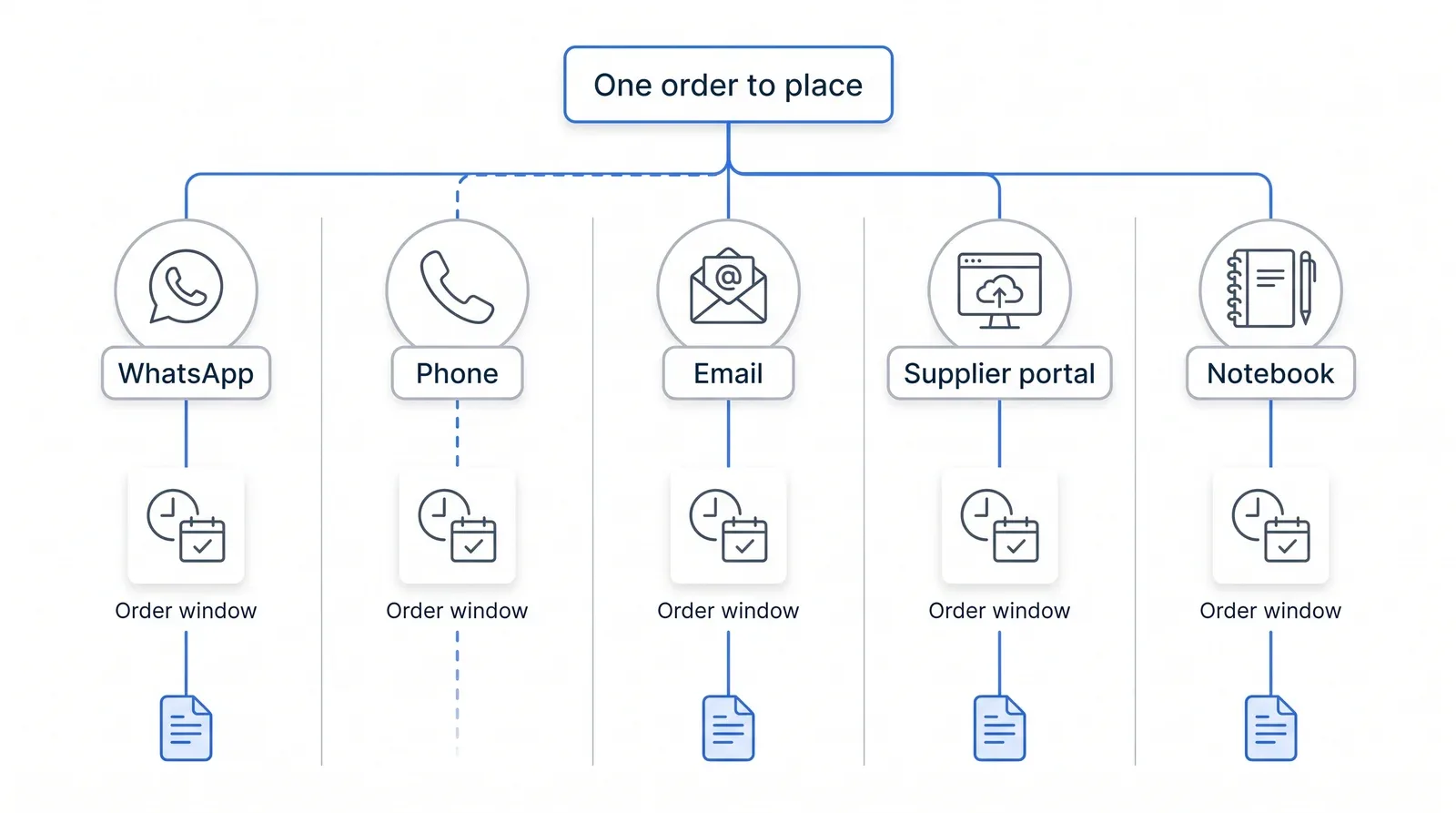
The decision behind all of it, though, is one decision. On Monday you check the walk-in, the week's bookings and the menu, and you work out what you need. You do that once, in your head or on a sheet. Then you break it into five pieces, rewrite each piece in a different format, and send them at five different times to land inside five different cut-offs.
Put like that, it looks like a typing problem, and most of what gets written about unified carts starts there: one place to click, fewer apps open, less copy and paste. True, but it's the smaller gain. Rewriting a list you already know costs a few minutes per supplier, and after a few weeks you do it on autopilot. The cost you don't see arrives later, and it looks different.
The real cost isn't writing the order, it's finding it again
Orders spread across several channels cost you time in reconstruction, not in sending: when something doesn't add up, "what did I order?" has no answer in any single place. You have to go and dig for it, without knowing which channel to open first.
Take an ordinary Thursday. At eleven you notice there are no brioche buns for tonight's burger special. The first question isn't why they didn't arrive, it's whether you ordered them at all. And from whom? Did you move buns from the bakery to the broadline distributor that week, after the bakery missed a drop, or was that the week before? You scroll the produce supplier's WhatsApp thread, which has nothing to do with bread, because you once left a note there. You open the distributor's portal. You search your email. You flick through the notebook. If you ordered by phone, there's nothing to find anywhere, and it's your word against theirs.
A morning like that exposes three things a scattered order history keeps from you:
- Whether the order actually went out. A message typed and never sent, an email left in drafts, a call that ended with "I'll ring you back": from the outside they all look like orders placed.
- Who it went to. When you buy the same item from two suppliers, searching one channel gives you the wrong answer with total confidence.
- Who placed it. If you order on Mondays and your sous chef orders on Thursdays, each from their own phone, the history isn't spread over five channels but ten.
The same digging comes back at the end of the month, slower, during invoice reconciliation: every invoice line has to be matched to an order sitting somewhere. Do it only then and you're reviewing spending after it has happened, the same flaw as a food cost figure worked out from last month's invoices: the number exists, but it arrives too late to change anything.
This isn't about the dispute call itself. We covered that already: when you ring a supplier about a problem, you need the order line in front of you. The problem here comes earlier. It's finding that line when it could be in any of five places, or in none.
What changes with a unified cart that routes by supplier
A unified cart that routes by supplier doesn't take your suppliers away or make them change their habits. It gives you one place to build the week's order and, more to the point, one place to find it again. You put together a single list, the tool splits it by supplier and prepares each order, and every order you send leaves a record in the same history.
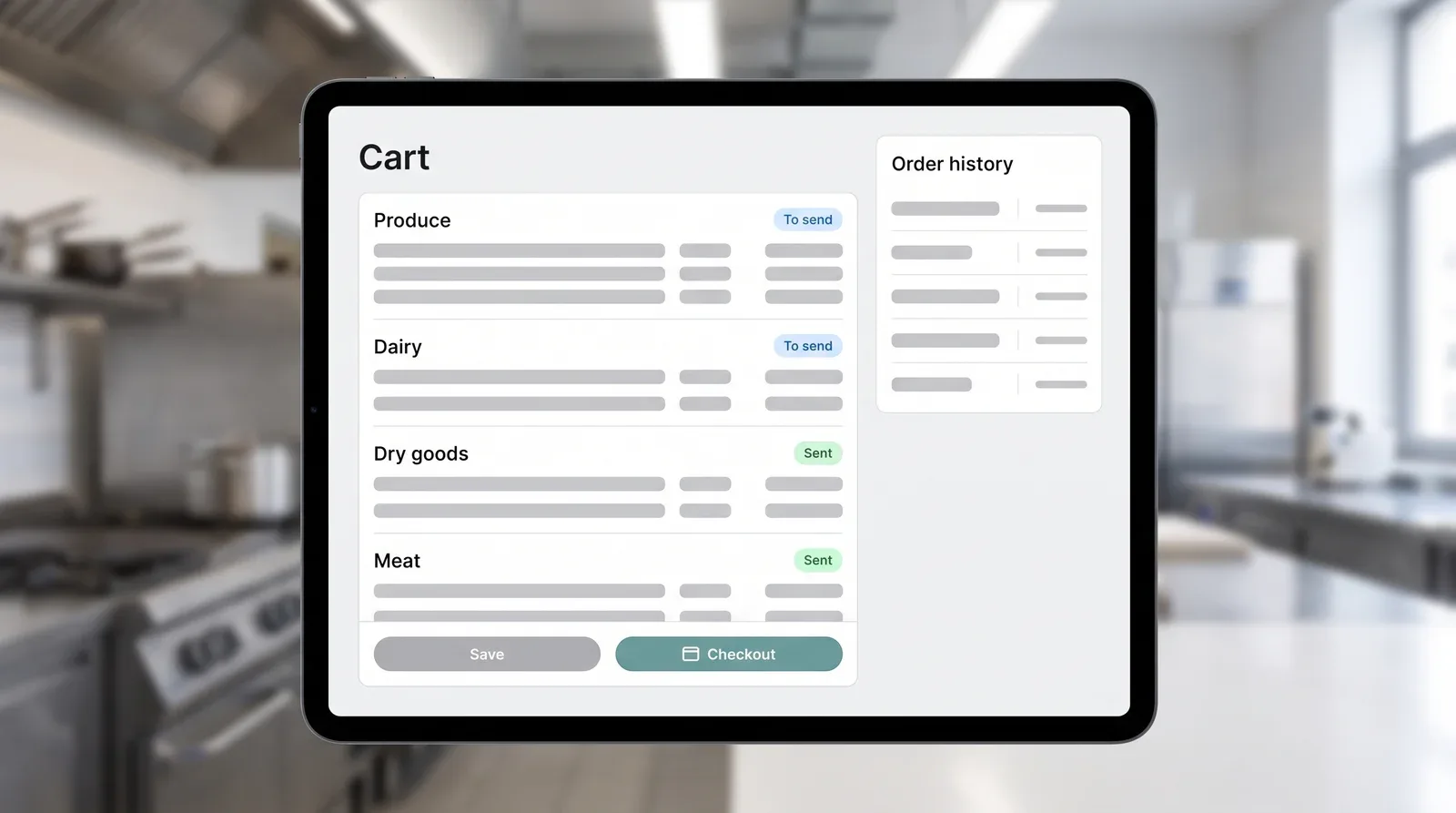
The saving on sending is real, but small. The saving on reconstruction changes that Thursday morning. "Did I order the buns?" becomes a search in one place, and the answer also tells you who you sent them to, when, and which member of your team added the line. If the line isn't there, you know straight away, instead of spending half an hour half-convincing yourself it must have been a phone call.
Your relationship with order windows changes too. When every supplier has its own channel, you carry each cut-off in your head. With one cart you see them side by side while you build the order, and you notice sooner that dry goods have to go today while meat can wait until tomorrow.
Supplier variety stays, and that's fine. There are good reasons to buy from several, even if every extra supplier carries a cost that isn't on the price list. Consolidating doesn't lower that number. It removes the part of the cost that comes from each supplier also bringing an archive of its own. It's the same shift we describe on the page about taking orders out of scattered WhatsApp threads and into a flow you can read back.
What to ask before you consolidate
Not every "unified cart" fixes reconstruction. The one that helps keeps a history for each supplier and sends each of them the order in the format they expect, rather than flattening everything into one list. Before you choose, put these questions to a real order from your own week, not to the one in the demo.
- Can I filter the order history down to a single supplier? If the history is just one list sorted by date, you have one place to search, but you're searching it blind.
- Does each supplier receive the order in their own price list format? Product codes, units, pack sizes: if the dairy sells by the case and the cart asks for litres, someone will have to translate, and that's where the mistake creeps in.
- Are order windows set per supplier, or is there one for everyone? A cart that sends everything at the same time ignores the fact that each supplier has its own cut-off.
- Can I still log an order I placed by phone? You'll keep ringing some suppliers. If those orders can't enter the history, the gap stays exactly where it was.
The last question matters most, and hardly anyone asks it. Consolidation shouldn't take away the phone calls. The relationship with the fishmonger, the call where he tells you the catch is thin next week, stays where it is. What needs to live in one place is the record of what you asked for. If the tool captures it even when the order went out by voice, then on the Thursday something is missing you stop asking whether you ordered it and start asking why it didn't arrive.
Keep your spending under control with mayo
Up-to-date price lists, centralized orders and prices verified on every delivery. Try it with your team.
Keep reading

Your restaurant system's ordering module wasn't built for ordering
An ordering module bundled into a POS or inventory platform can't hold your suppliers' rules — order cutoff, price list, delivery days. Here's what can.